Add online booking and WhatsApp to your Google Business Profile
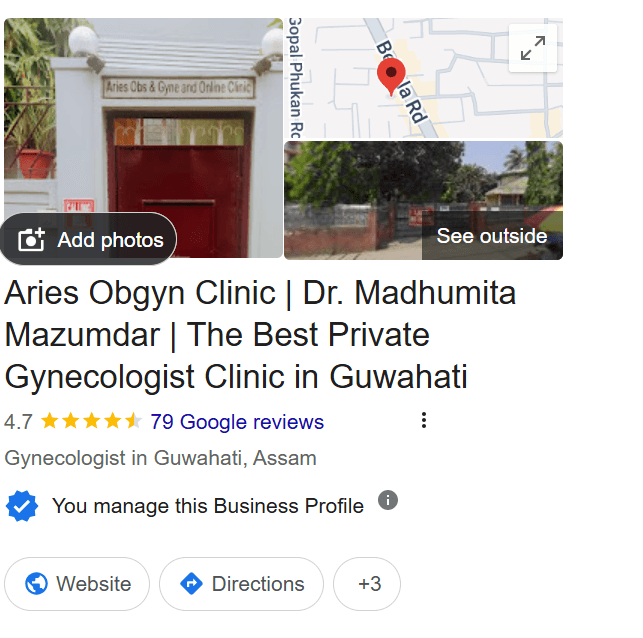
Most patients find a clinic on Google. Your Google Business Profile has a spot for a booking link and a WhatsApp number. Fill both with FormAlert and patients can book you without leaving Google.
Add your booking link and WhatsApp to Google
- 1
Copy your FormAlert booking link
In FormAlert, open Settings → Share and copy the link under Booking form.
- 2
Open your Business Profile on Google
Sign in to the Google account that manages your clinic, then search your clinic's name on Google. Your profile opens with its edit tools.
- 3
Find the booking link spot
Press "Edit profile" and look under Contact for "Appointment links" (on some profiles it's under the Bookings button).
- 4
Paste your link and save
Paste your FormAlert booking link and save. Google may take a few hours to show the Book button.
- 5
Add your WhatsApp number
In the same Contact section, add your clinic's WhatsApp Business number as the chat option, and save.
Why this matters
Your website and your Google profile are the two most important parts of your clinic's online presence. A patient who finds you on Google and sees a Book button books right away. One who has to call often doesn't.
- Book button → opens your FormAlert booking page.
- WhatsApp / Chat → opens a chat with your clinic. Once your number is connected to FormAlert, patients can book inside that chat.
- Reviews → grow on their own with review requests.