Add walk-ins and manage appointments
Walk-ins and phone bookings go into the same list as online and WhatsApp bookings. Add them in a few seconds and your whole day is in one place, in one queue.
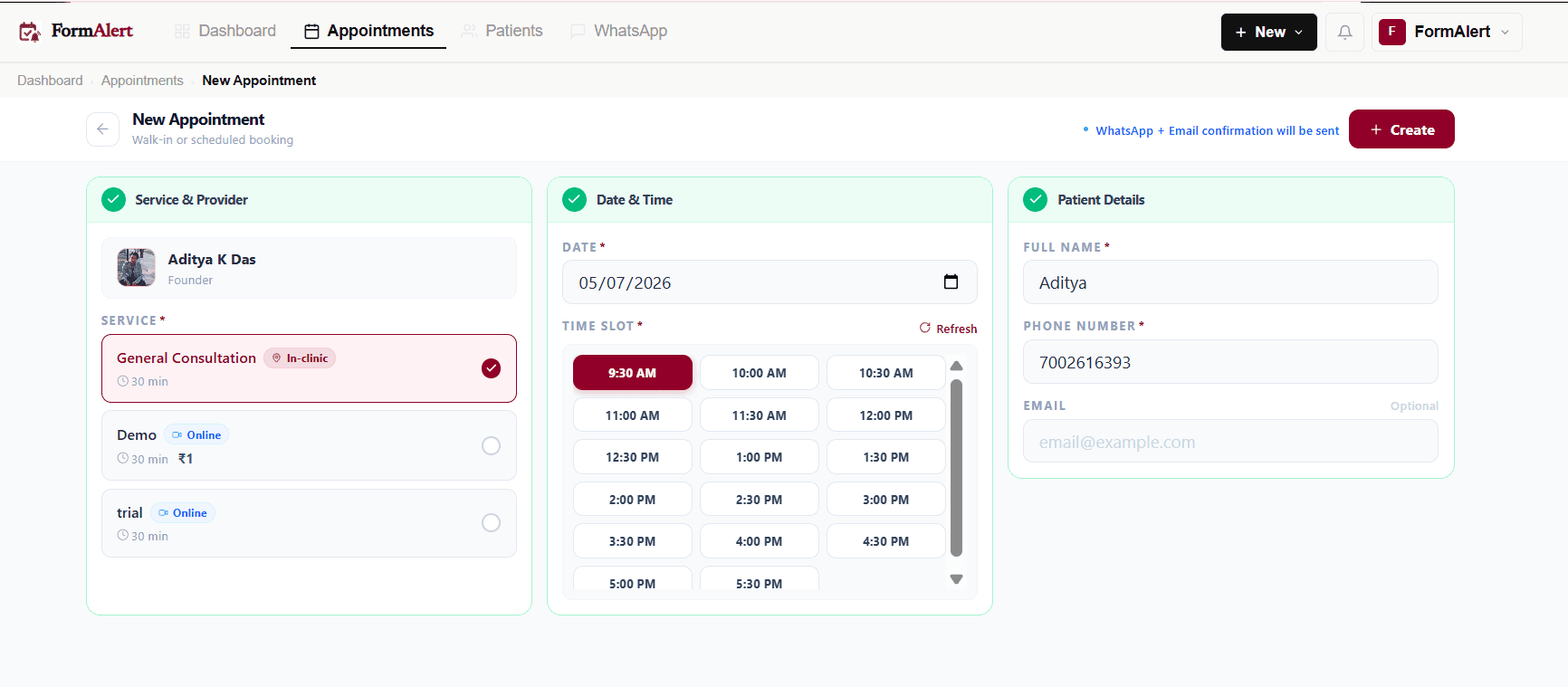
Add a walk-in or phone booking
- 1
Press "New"
Use the "New" button at the top of any screen, or "New appointment" in the sidebar.
- 2
Find or add the patient
Search by name or phone. New patient? Type their full name and phone number.
- 3
Pick the doctor and service
Under Service, choose the doctor, then the service.
- 4
Pick the date and time
Choose today and the next free slot for a walk-in, or any date for a phone booking.
- 5
Mark payment if they've paid
If the service has a fee and they paid at the desk, turn on "Payment collected".
- 6
Press "Book appointment"
The patient is confirmed, gets a token, and receives the WhatsApp confirmation.
The appointment list
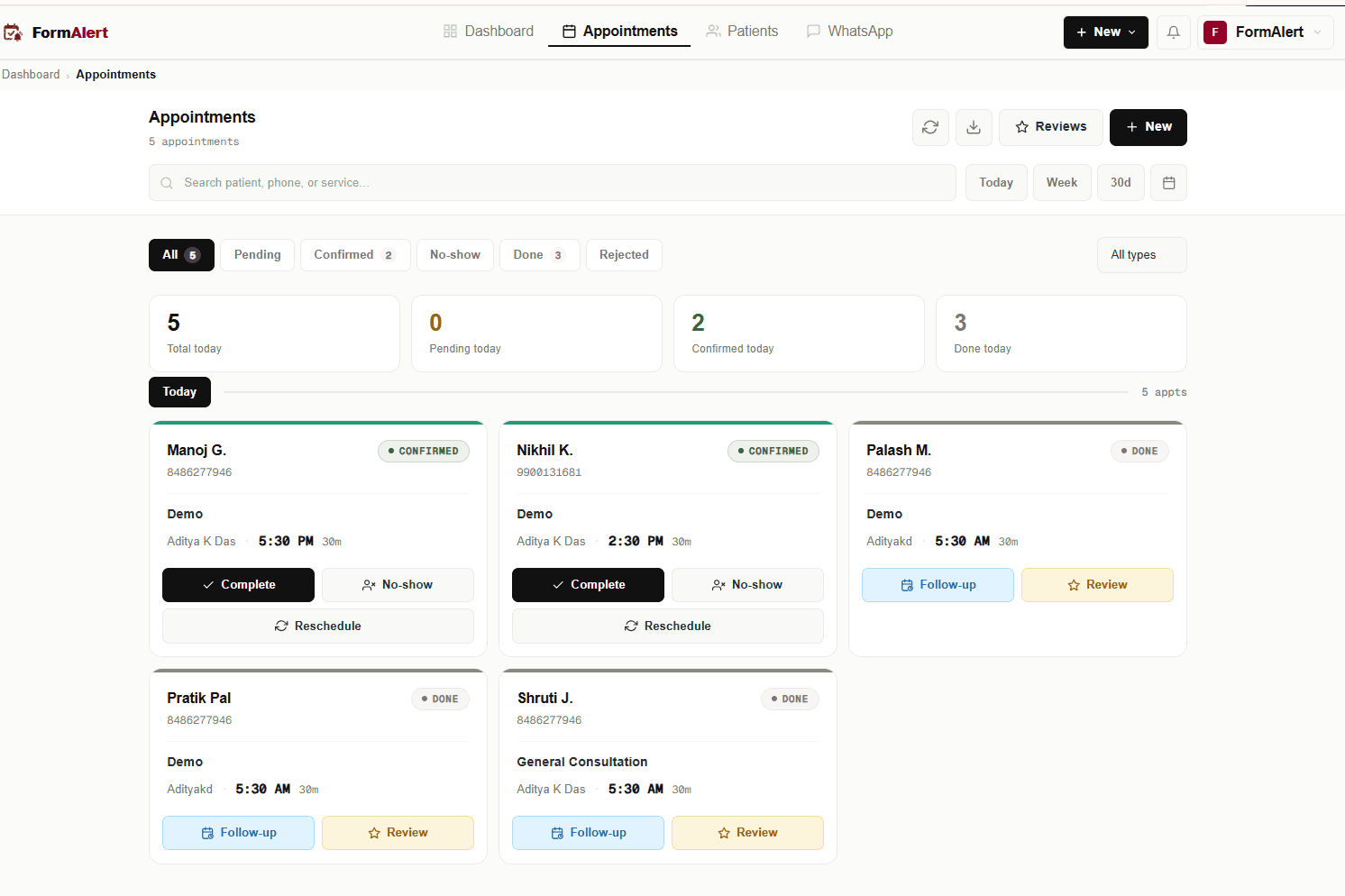
Open Appointments. Use the tabs to filter: All, Pending, Confirmed, No-show, Done and Rejected. Search by patient, phone or service, and switch between Today, Week or a date range. Each card shows where it came from: WALK-IN, MANUAL, ONLINE or WHATSAPP.
What each button does
| Button | What happens |
|---|---|
| Confirm / Decline | For a new online or WhatsApp booking when auto-confirm is off. The patient is told either way. |
| Accept | Shown when a patient asked for a new time. Accepts their request. |
| Complete | The visit is over. Choose "Complete and ask for a review" or "Complete only". |
| No-show | They didn't come. The patient gets a message so they can rebook. |
| Reschedule | Pick a new time. The patient is told about it on WhatsApp. |
| Follow-up | Book the next visit — see below. |
Open an appointment for more: "Edit details", "Schedule follow-up", "Send review request" and "Delete", plus the patient's answers, documents, bill, prescription, and every message sent.
Book a follow-up
Press Follow-up on a finished visit. Choose "Come back in" 1 week, 2 weeks, 1 month or 3 months (or a date), add a reason and fee, and save. The patient gets the same confirmation and reminders as any other booking.