Get more Google reviews with automatic review requests
More Google reviews put your clinic higher on Google Maps, and that brings new patients. FormAlert asks every patient after their visit, on WhatsApp, so it happens even on your busiest day.
Set it up once
- 1
Get your Google review link
On your Google Business Profile, find "Ask for reviews" or "Get more reviews" and copy the link.
- 2
Paste it into FormAlert
In Settings → Business profile, paste it into "Google review link" and press "Save profile".
- 3
Complete visits as usual
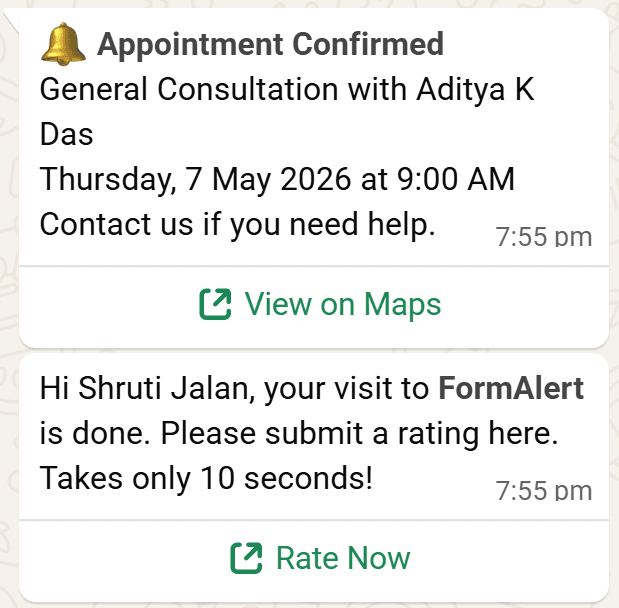
When you press Complete on an appointment, choose "Complete and ask for a review". The patient gets your review link on WhatsApp.
Automatic requests
The review request goes out when a visit is marked Complete — from the appointment, or from the live queue. Forgot to press Complete? Once an appointment's time has passed, FormAlert completes it and sends the request for you within the hour.
Send one by hand
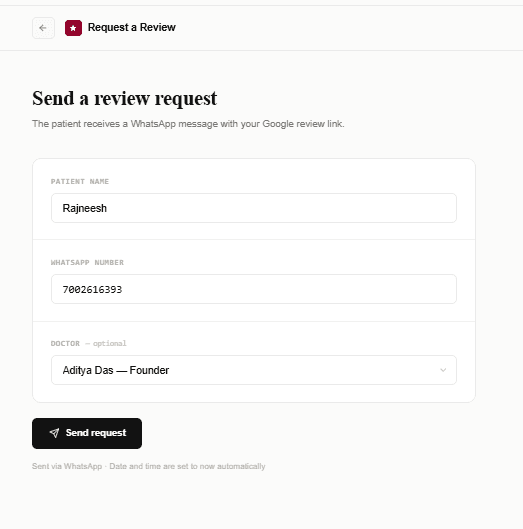
Open Reviews in the sidebar. Enter the patient's name and phone number, pick the doctor, and press Send review request. Good for patients who visited before you started using FormAlert. You can also press "Send review request" from an appointment's ⋮ menu.