How WhatsApp booking works, and how to set it up
Once your WhatsApp Business number is connected, patients can book an appointment inside WhatsApp. Your staff don't have to type slots, confirmations or reminders — FormAlert does it and hands anything unusual to a person.
How a patient books on WhatsApp
- 1
The patient messages your clinic
From your Google profile, your website, or a number they already have.
- 2
FormAlert replies with a Book Appointment button
Your welcome message goes out on its own, with a button to book.
- 3
The patient picks a doctor, service and slot
A booking form opens inside WhatsApp, showing only your free slots.
- 4
The booking lands in your list
It shows in Appointments marked WHATSAPP, and you get an alert on your private phone.
- 5
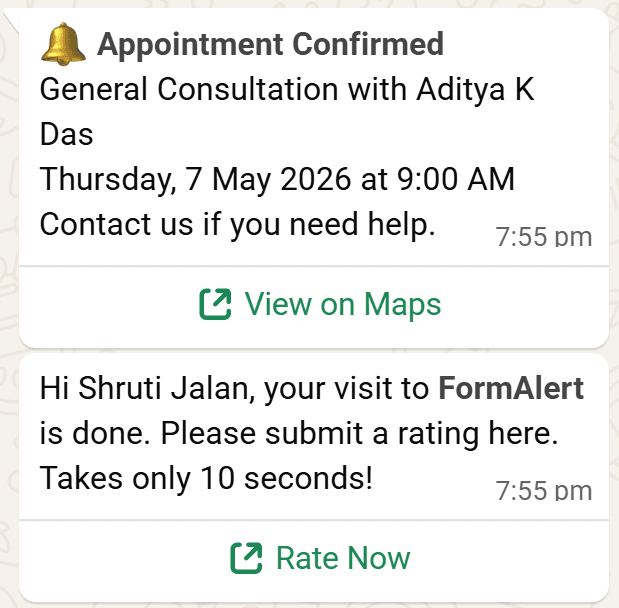
The patient gets the confirmation
Then reminders 24 hours and 2 hours before, and a review request after the visit.
Choose the first reply
On WhatsApp Setup, the First reply card decides what happens when a patient messages you for the first time:
| Option | What it does |
|---|---|
| Welcome message | Sends your greeting with a "Book appointment" button (or a link). Edit it with "Edit welcome message". |
| AI booking assistant | Replies for you: books, moves and cancels appointments, answers common questions like fees and timings, and hands everything else to your staff. I switch it on for you after you subscribe. |
| Off | No automatic reply. Your staff answer from the inbox. |
When a person is needed
If a patient asks for a person, asks something the assistant can't answer, or the chat goes on too long, FormAlert pauses the automatic replies for that chat for 24 hours. The patient is told someone from the clinic will reply. Your private phone (set in Settings) gets a WhatsApp saying "Needs a reply" and why. Answer from the WhatsApp inbox.
What goes out, and when
The What goes out, and when card on WhatsApp Setup lists every automatic message. Each has a switch, and on your own number you can press "Edit wording".
| When | Message |
|---|---|
| New booking | Doctor alert — to your private phone |
| Confirmed | Status update to the patient, with their token, and a Manage appointment button |
| Before the visit | Appointment reminder — 24 hours and 2 hours before |
| No-show | No-show follow-up, so they can rebook |
| Visit complete | Google review request; prescription if you send one |
A template marked In review is waiting for Meta's approval, usually a few minutes to a day. Rejected or Not set up? Press "Submit the missing ones".